This vignette introduces the IdfGeometry and
IdfViewer classes. IdfGeometry is designed to
extract data for all geometry objects and perform geometric operations
on them, while IdfViewer is to view IDF geometry in 3D
using the rgl
package in a similar way as OpenStudio SketchUp Plugin.
Extract all geometry data
All geometry data in an Idf object can be extracted
using the Idf$geometry(). What it returns is an
IdfGeometry which parses all geometry related objects,
including:
GlobalGeometryRulesBuildingZone- All geometry related classes in the
Thermal Zones and Surfacesgroup andDaylightinggroup
eplus_ver <- max(avail_eplus())
eplus_ver
#> [1] '26.2.0'

path_idf <- file.path(eplus_config(eplus_ver)$dir, "ExampleFiles/HospitalLowEnergy.idf")
idf <- read_idf(path_idf)
#> IDD v26.2.0 has not been parsed before. Try to locate 'Energy+.idd' in
#> EnergyPlus v26.2.0 installation folder '/usr/local/EnergyPlus-26-2-0'.
#> IDD file found: '/home/runner/.local/EnergyPlus-26-2-0/Energy+.idd'.
#> Start parsing...
#> Parsing completed.
geom <- idf$geometry()
geom
#> ── EnergPlus IDF Geometry ──────────────────────────────────────────────────────
#>  • Path: '/home/runner/.local/EnergyPlus-26-2-0/ExampleFiles/HospitalLowEnergy.…
#>  • Version: '26.2.0'
#>  • Building: 'Large Hospital TSD Low-Energy Model'
#>  • North Axis: 0°
#>  • Zone Num: 130
#>  • Surface Num: 795
#>  • SubSurface Num: 125
#>  • Shading Num: 25
#>  • Dayl Ref Pnt Num: 48
#>  • Coordinate System:
#>    - Detailed: 'Relative'
#>    - Simple:   'Relative'
#>    - Daylighting: 'Relative'
Get geometry data
Get geometry rules
geom$rules()
#> $starting_vertex_position
#> [1] "upperleftcorner"
#>
#> $vertex_entry_direction
#> [1] "counterclockwise"
#>
#> $coordinate_system
#> [1] "relative"
#>
#> $daylighting_reference_point_coordinate_system
#> [1] "relative"
#>
#> $rectangular_surface_coordinate_system
#> [1] "relative"
Get surface area
geom$area()
#>         id                                               name
#>      <int>                                             <char>
#>   1:   154                                  Floor 1 Cafe Slab
#>   2:   155                                             25C85A
#>   3:   156                                             22EE43
#>   4:   157                                             FCF93A
#>   5:   158                                             D30CFB
#>  ---
#> 941:  4739       Floor 7 Patient 1 Ext Wall 1:shading_south_1
#> 942:  4863       Floor 7 Patient 4 Ext Wall 2:shading_south_1
#> 943:  5150   MOB Floor 1 Perimeter 2 Ext Wall:shading_south_1
#> 944:  5326 MOB Floor 2-4 Perimeter 2 Ext Wall:shading_south_1
#> 945:  5542   MOB Floor 5 Perimeter 2 Ext Wall:shading_south_1
#>                         class                      zone  space        type
#>                        <char>                    <char> <char>      <char>
#>   1: BuildingSurface:Detailed              Floor 1 Cafe   <NA>       Floor
#>   2: BuildingSurface:Detailed              Floor 1 Cafe   <NA>        Wall
#>   3: BuildingSurface:Detailed              Floor 1 Cafe   <NA>        Wall
#>   4: BuildingSurface:Detailed              Floor 1 Cafe   <NA>     Ceiling
#>   5: BuildingSurface:Detailed              Floor 1 Cafe   <NA>        Wall
....
By default, $area() returns areas of all surfaces in
current Idf. You can specify class and
object to only calculate objects of interest. This is also
true for the $azimuth() and $tilt()
methods.
geom$area(class = "Shading:Zone:Detailed")
#>        id                                                    name
#>     <int>                                                  <char>
#>  1:   268             Floor 1 Conference Ext Wall:shading_south_1
#>  2:   361               Floor 1 Elevator Ext Wall:shading_south_1
#>  3:  1151 Floor 1 Office 3 Perimeter 3 Ext Wall 2:shading_south_1
#>  4:  1509               Floor 2 Chapel Ext Wall 2:shading_south_1
#>  5:  1669               Floor 2 Elevator Ext Wall:shading_south_1
#>  6:  1718               Floor 2 Exam 1 Ext Wall 2:shading_south_1
#>  7:  1874              Floor 2 Gift Shop Ext Wall:shading_south_1
#>  8:  1956              Floor 2 Imaging 2 Ext Wall:shading_south_1
#>  9:  2209             Floor 2 Lounge 2 Ext Wall 1:shading_south_1
#> 10:  2464             Floor 2 Office 4 Ext Wall 2:shading_south_1
#> 11:  2754              Floor 2 Reception Ext Wall:shading_south_1
#> 12:  2843             Floor 2 Restroom 2 Ext Wall:shading_south_1
#> 13:  3111                 Floor 2 Triage Ext Wall:shading_south_1
#> 14:  3242             Floor 3 Elevator Ext Wall 2:shading_south_1
#> 15:  3582            Floor 3 Patient 1 Ext Wall 1:shading_south_1
#> 16:  3715            Floor 3 Patient 4 Ext Wall 2:shading_south_1
#> 17:  4089           Floor 4-6 Elevator Ext Wall 2:shading_south_1
#> 18:  4229          Floor 4-6 Patient 1 Ext Wall 1:shading_south_1
....
With net being TRUE, the window and door
areas will be excluded in the results of surfaces.
geom$area()[type == "Wall"]
#>         id                             name                    class
#>      <int>                           <char>                   <char>
#>   1:   155                           25C85A BuildingSurface:Detailed
#>   2:   156                           22EE43 BuildingSurface:Detailed
#>   3:   158                           D30CFB BuildingSurface:Detailed
#>   4:   159                           63D572 BuildingSurface:Detailed
#>   5:   229                           3C19D3 BuildingSurface:Detailed
#>  ---
#> 523:  5586 MOB Floor 5 Perimeter 3 Ext Wall BuildingSurface:Detailed
#> 524:  5627                           FCB84A BuildingSurface:Detailed
#> 525:  5628                           843462 BuildingSurface:Detailed
#> 526:  5629                           F6C992 BuildingSurface:Detailed
#> 527:  5630 MOB Floor 5 Perimeter 4 Ext Wall BuildingSurface:Detailed
#>                         zone  space   type      area
#>                       <char> <char> <char>     <num>
#>   1:            Floor 1 Cafe   <NA>   Wall  45.52249
#>   2:            Floor 1 Cafe   <NA>   Wall  45.52249
#>   3:            Floor 1 Cafe   <NA>   Wall  76.18049
#>   4:            Floor 1 Cafe   <NA>   Wall  76.18049
#>   5:           Floor 1 Clean   <NA>   Wall  18.58061
....
geom$area(net = TRUE)[type == "Wall"]
#>         id                             name                    class
#>      <int>                           <char>                   <char>
#>   1:   155                           25C85A BuildingSurface:Detailed
#>   2:   156                           22EE43 BuildingSurface:Detailed
#>   3:   158                           D30CFB BuildingSurface:Detailed
#>   4:   159                           63D572 BuildingSurface:Detailed
#>   5:   229                           3C19D3 BuildingSurface:Detailed
#>  ---
#> 523:  5586 MOB Floor 5 Perimeter 3 Ext Wall BuildingSurface:Detailed
#> 524:  5627                           FCB84A BuildingSurface:Detailed
#> 525:  5628                           843462 BuildingSurface:Detailed
#> 526:  5629                           F6C992 BuildingSurface:Detailed
#> 527:  5630 MOB Floor 5 Perimeter 4 Ext Wall BuildingSurface:Detailed
#>                         zone  space   type     area
#>                       <char> <char> <char>    <num>
#>   1:            Floor 1 Cafe   <NA>   Wall 45.52249
#>   2:            Floor 1 Cafe   <NA>   Wall 45.52249
#>   3:            Floor 1 Cafe   <NA>   Wall 76.18049
#>   4:            Floor 1 Cafe   <NA>   Wall 76.18049
#>   5:           Floor 1 Clean   <NA>   Wall 18.58061
....
Get surface azimuth and tilt
geom$azimuth()
#>         id                                               name
#>      <int>                                             <char>
#>   1:   154                                  Floor 1 Cafe Slab
#>   2:   155                                             25C85A
#>   3:   156                                             22EE43
#>   4:   157                                             FCF93A
#>   5:   158                                             D30CFB
#>  ---
#> 941:  4739       Floor 7 Patient 1 Ext Wall 1:shading_south_1
#> 942:  4863       Floor 7 Patient 4 Ext Wall 2:shading_south_1
#> 943:  5150   MOB Floor 1 Perimeter 2 Ext Wall:shading_south_1
#> 944:  5326 MOB Floor 2-4 Perimeter 2 Ext Wall:shading_south_1
#> 945:  5542   MOB Floor 5 Perimeter 2 Ext Wall:shading_south_1
#>                         class                      zone  space        type
#>                        <char>                    <char> <char>      <char>
#>   1: BuildingSurface:Detailed              Floor 1 Cafe   <NA>       Floor
#>   2: BuildingSurface:Detailed              Floor 1 Cafe   <NA>        Wall
#>   3: BuildingSurface:Detailed              Floor 1 Cafe   <NA>        Wall
#>   4: BuildingSurface:Detailed              Floor 1 Cafe   <NA>     Ceiling
#>   5: BuildingSurface:Detailed              Floor 1 Cafe   <NA>        Wall
....
geom$tilt()
#>         id                                               name
#>      <int>                                             <char>
#>   1:   154                                  Floor 1 Cafe Slab
#>   2:   155                                             25C85A
#>   3:   156                                             22EE43
#>   4:   157                                             FCF93A
#>   5:   158                                             D30CFB
#>  ---
#> 941:  4739       Floor 7 Patient 1 Ext Wall 1:shading_south_1
#> 942:  4863       Floor 7 Patient 4 Ext Wall 2:shading_south_1
#> 943:  5150   MOB Floor 1 Perimeter 2 Ext Wall:shading_south_1
#> 944:  5326 MOB Floor 2-4 Perimeter 2 Ext Wall:shading_south_1
#> 945:  5542   MOB Floor 5 Perimeter 2 Ext Wall:shading_south_1
#>                         class                      zone  space        type
#>                        <char>                    <char> <char>      <char>
#>   1: BuildingSurface:Detailed              Floor 1 Cafe   <NA>       Floor
#>   2: BuildingSurface:Detailed              Floor 1 Cafe   <NA>        Wall
#>   3: BuildingSurface:Detailed              Floor 1 Cafe   <NA>        Wall
#>   4: BuildingSurface:Detailed              Floor 1 Cafe   <NA>     Ceiling
#>   5: BuildingSurface:Detailed              Floor 1 Cafe   <NA>        Wall
....
Convert simple geometry
$convert() generate detailed vertices from simplified
geometry specifications and replace the original object with its
corresponding detailed class, including:
BuildingSurface:DetailedFenestrationSurface:DetailedShading:Site:DetailedShading:Building:DetailedShading:Zone:Detailed
path_simple <- path_eplus_example(eplus_ver, "4ZoneWithShading_Simple_1.idf")
simple <- read_idf(path_simple)

simple$class_name(by_group = TRUE)["Thermal Zones and Surfaces"]
#> $`Thermal Zones and Surfaces`
#>  [1] "GlobalGeometryRules" "Zone"                "Wall:Exterior"
#>  [4] "Wall:Adiabatic"      "Wall:Interzone"      "Roof"
#>  [7] "Ceiling:Interzone"   "Floor:Adiabatic"     "Floor:Interzone"
#> [10] "Window"              "Door"                "Window:Interzone"
#> [13] "Shading:Site"        "Shading:Building"    "Shading:Overhang"
#> [16] "Shading:Fin"

simple$geometry()$convert()
#> Warning: Empty 'Daylighting Reference Point Coordinate System' found in
#> 'GlobalGeometryRules'. Assuming 'Relative'.
#> Empty 'Daylighting Reference Point Coordinate System' found in
#> 'GlobalGeometryRules'. Assuming 'Relative'.

simple$class_name(by_group = TRUE)["Thermal Zones and Surfaces"]
#> $`Thermal Zones and Surfaces`
#> [1] "GlobalGeometryRules"          "Zone"
#> [3] "BuildingSurface:Detailed"     "FenestrationSurface:Detailed"
#> [5] "Shading:Site:Detailed"        "Shading:Building:Detailed"
#> [7] "Shading:Zone:Detailed"
An attribute named mapping is attached in the converted
Idf object which contains the meta data of objects before
and after the conversion.
attr(simple, "mapping")
#>     ori_id                       ori_name         ori_class new_id
#>      <int>                         <char>            <char>  <int>
#>  1:     48                  Zn001:Wall001     Wall:Exterior     48
#>  2:     54                  Zn001:Wall002     Wall:Exterior     54
#>  3:     55                  Zn001:Wall003     Wall:Exterior     55
#>  4:     56                  Zn001:Wall004    Wall:Adiabatic     56
#>  5:     57                   Zn001:Flr001   Floor:Adiabatic     57
#>  6:     58                  Zn001:Roof001 Ceiling:Interzone     58
#>  7:     59                  Zn002:Wall001     Wall:Exterior     59
#>  8:     63                  Zn002:Wall002     Wall:Exterior     63
#>  9:     67                  Zn002:Wall003     Wall:Exterior     67
#> 10:     68                  Zn002:Wall004    Wall:Adiabatic     68
#> 11:     69                   Zn002:Flr001   Floor:Adiabatic     69
#> 12:     70                  Zn002:Roof001 Ceiling:Interzone     70
#> 13:     71                  Zn003:Wall001     Wall:Exterior     71
#> 14:     73                  Zn003:Wall002     Wall:Exterior     73
#> 15:     74                  Zn003:Wall003     Wall:Exterior     74
#> 16:     75                  Zn003:Wall004    Wall:Interzone     75
#> 17:     77                   Zn003:Flr001   Floor:Interzone     77
#> 18:     78                  Zn003:Roof001              Roof     78
....
Change coordinate systems
$coord_system() converts all vertices of geometries into
specified coordinate systems, e.g. from world to relative, and vice
versa. Besides, it also updates the GlobalGeometryRules in
parent [Idf] accordingly.
geom$rules()
#> $starting_vertex_position
#> [1] "upperleftcorner"
#>
#> $vertex_entry_direction
#> [1] "counterclockwise"
#>
#> $coordinate_system
#> [1] "relative"
#>
#> $daylighting_reference_point_coordinate_system
#> [1] "relative"
#>
#> $rectangular_surface_coordinate_system
#> [1] "relative"

geom$parent()$to_table("Floor 1 Cafe Slab")
#>        id              name                    class index
#>     <int>            <char>                   <char> <int>
#>  1:   154 Floor 1 Cafe Slab BuildingSurface:Detailed     1
#>  2:   154 Floor 1 Cafe Slab BuildingSurface:Detailed     2
#>  3:   154 Floor 1 Cafe Slab BuildingSurface:Detailed     3
#>  4:   154 Floor 1 Cafe Slab BuildingSurface:Detailed     4
#>  5:   154 Floor 1 Cafe Slab BuildingSurface:Detailed     5
#>  6:   154 Floor 1 Cafe Slab BuildingSurface:Detailed     6
#>  7:   154 Floor 1 Cafe Slab BuildingSurface:Detailed     7
#>  8:   154 Floor 1 Cafe Slab BuildingSurface:Detailed     8
#>  9:   154 Floor 1 Cafe Slab BuildingSurface:Detailed     9
#> 10:   154 Floor 1 Cafe Slab BuildingSurface:Detailed    10
#> 11:   154 Floor 1 Cafe Slab BuildingSurface:Detailed    11
#> 12:   154 Floor 1 Cafe Slab BuildingSurface:Detailed    12
#> 13:   154 Floor 1 Cafe Slab BuildingSurface:Detailed    13
#> 14:   154 Floor 1 Cafe Slab BuildingSurface:Detailed    14
#> 15:   154 Floor 1 Cafe Slab BuildingSurface:Detailed    15
#> 16:   154 Floor 1 Cafe Slab BuildingSurface:Detailed    16
#> 17:   154 Floor 1 Cafe Slab BuildingSurface:Detailed    17
#> 18:   154 Floor 1 Cafe Slab BuildingSurface:Detailed    18
....

geom$coord_system("world")
#> ── EnergPlus IDF Geometry ──────────────────────────────────────────────────────
#>  • Path: '/home/runner/.local/EnergyPlus-26-2-0/ExampleFiles/HospitalLowEnergy.…
#>  • Version: '26.2.0'
#>  • Building: 'Large Hospital TSD Low-Energy Model'
#>  • North Axis: 0°
#>  • Zone Num: 130
#>  • Surface Num: 795
#>  • SubSurface Num: 125
#>  • Shading Num: 25
#>  • Dayl Ref Pnt Num: 48
#>  • Coordinate System:
#>    - Detailed: 'World'
#>    - Simple:   'Relative'
#>    - Daylighting: 'Relative'

geom$parent()$to_table("Floor 1 Cafe Slab")
#>        id              name                    class index
#>     <int>            <char>                   <char> <int>
#>  1:   154 Floor 1 Cafe Slab BuildingSurface:Detailed     1
#>  2:   154 Floor 1 Cafe Slab BuildingSurface:Detailed     2
#>  3:   154 Floor 1 Cafe Slab BuildingSurface:Detailed     3
#>  4:   154 Floor 1 Cafe Slab BuildingSurface:Detailed     4
#>  5:   154 Floor 1 Cafe Slab BuildingSurface:Detailed     5
#>  6:   154 Floor 1 Cafe Slab BuildingSurface:Detailed     6
#>  7:   154 Floor 1 Cafe Slab BuildingSurface:Detailed     7
#>  8:   154 Floor 1 Cafe Slab BuildingSurface:Detailed     8
#>  9:   154 Floor 1 Cafe Slab BuildingSurface:Detailed     9
#> 10:   154 Floor 1 Cafe Slab BuildingSurface:Detailed    10
#> 11:   154 Floor 1 Cafe Slab BuildingSurface:Detailed    11
#> 12:   154 Floor 1 Cafe Slab BuildingSurface:Detailed    12
#> 13:   154 Floor 1 Cafe Slab BuildingSurface:Detailed    13
#> 14:   154 Floor 1 Cafe Slab BuildingSurface:Detailed    14
#> 15:   154 Floor 1 Cafe Slab BuildingSurface:Detailed    15
#> 16:   154 Floor 1 Cafe Slab BuildingSurface:Detailed    16
#> 17:   154 Floor 1 Cafe Slab BuildingSurface:Detailed    17
#> 18:   154 Floor 1 Cafe Slab BuildingSurface:Detailed    18
....
Round vertices decimal digits
$round_digits() performs number rounding on vertices of
detailed geometry object vertices,
e.g. BuildingSurface:Detailed,
FenestrationSurface:Detailed and etc.
$round_digits() may be useful for clean up IDF files
generated using OpenStudio which often gives vertices with long trailing
digits.
geom$round_digits(3)

geom$parent()$to_table("Floor 1 Cafe Slab")
#>        id              name                    class index
#>     <int>            <char>                   <char> <int>
#>  1:   154 Floor 1 Cafe Slab BuildingSurface:Detailed     1
#>  2:   154 Floor 1 Cafe Slab BuildingSurface:Detailed     2
#>  3:   154 Floor 1 Cafe Slab BuildingSurface:Detailed     3
#>  4:   154 Floor 1 Cafe Slab BuildingSurface:Detailed     4
#>  5:   154 Floor 1 Cafe Slab BuildingSurface:Detailed     5
#>  6:   154 Floor 1 Cafe Slab BuildingSurface:Detailed     6
#>  7:   154 Floor 1 Cafe Slab BuildingSurface:Detailed     7
#>  8:   154 Floor 1 Cafe Slab BuildingSurface:Detailed     8
#>  9:   154 Floor 1 Cafe Slab BuildingSurface:Detailed     9
#> 10:   154 Floor 1 Cafe Slab BuildingSurface:Detailed    10
#> 11:   154 Floor 1 Cafe Slab BuildingSurface:Detailed    11
#> 12:   154 Floor 1 Cafe Slab BuildingSurface:Detailed    12
#> 13:   154 Floor 1 Cafe Slab BuildingSurface:Detailed    13
#> 14:   154 Floor 1 Cafe Slab BuildingSurface:Detailed    14
#> 15:   154 Floor 1 Cafe Slab BuildingSurface:Detailed    15
#> 16:   154 Floor 1 Cafe Slab BuildingSurface:Detailed    16
#> 17:   154 Floor 1 Cafe Slab BuildingSurface:Detailed    17
#> 18:   154 Floor 1 Cafe Slab BuildingSurface:Detailed    18
....
View geometry in 3D
$view() uses the rgl package to
visualize the IDF geometry in 3D in a similar way as OpenStudio.
$view() returns an [IdfViewer] object which can be used
to further tweak the viewer scene.
In the rgl window, the default mouse modes are:
- Left button: Trackball
- Right button: Pan
- Middle button: Field-of-view (FOV). ‘0’ means orthographic projection.
- Wheel: Zoom
viewer <- geom$view()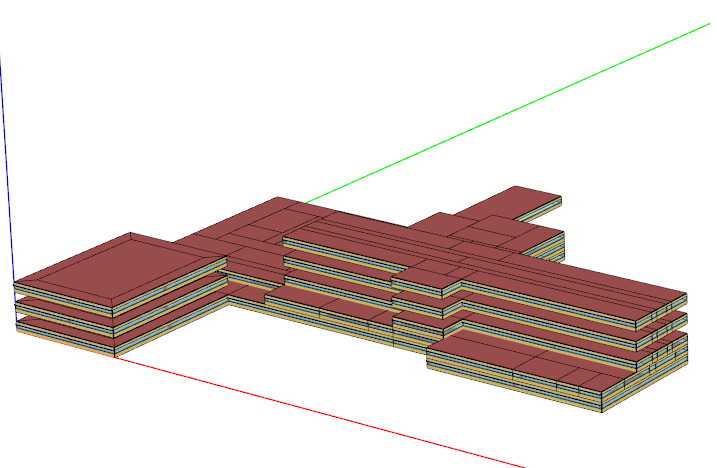
Tweak the view
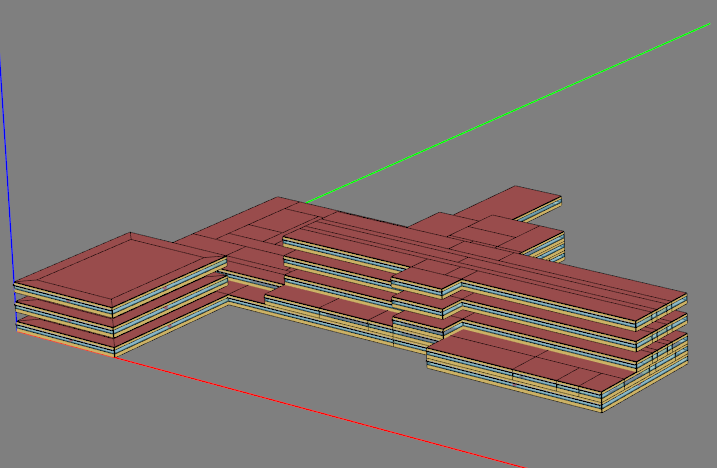
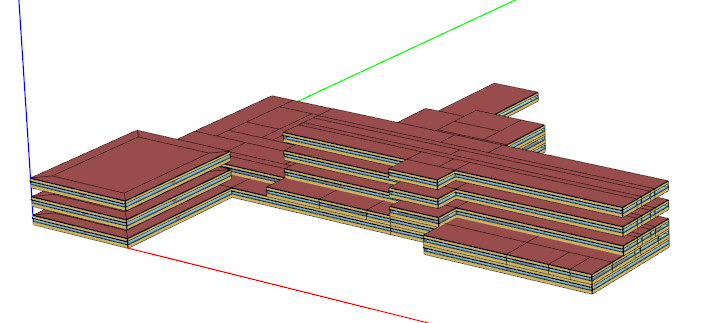
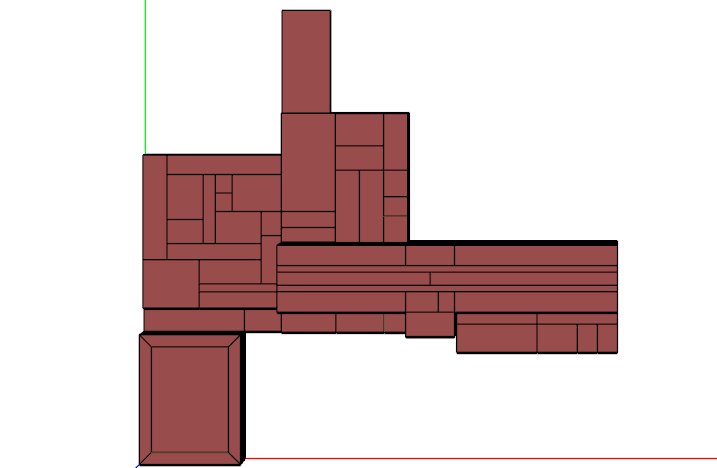
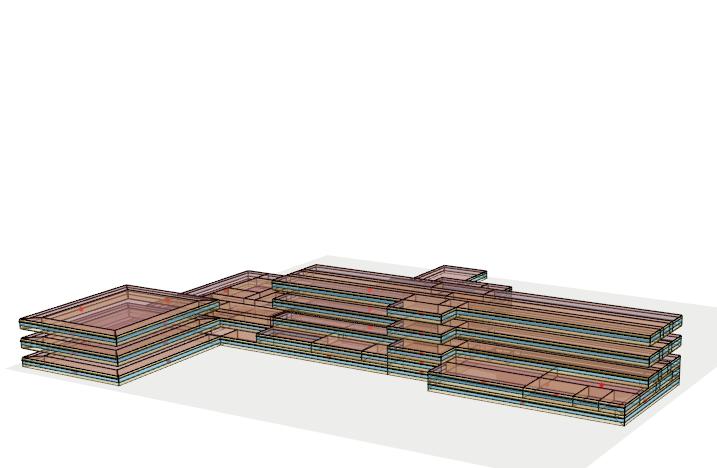
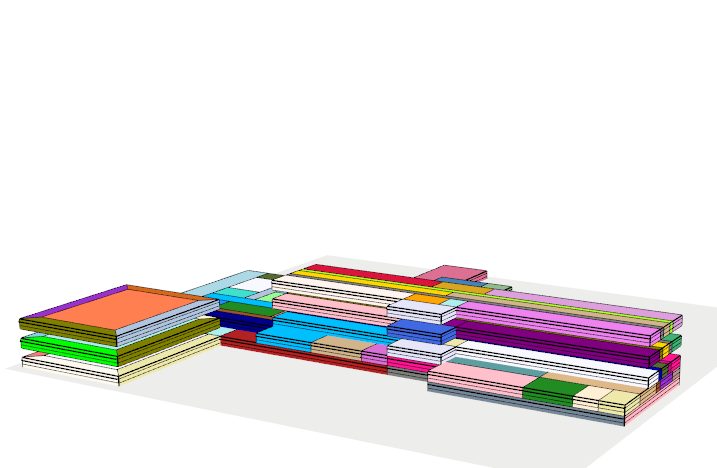
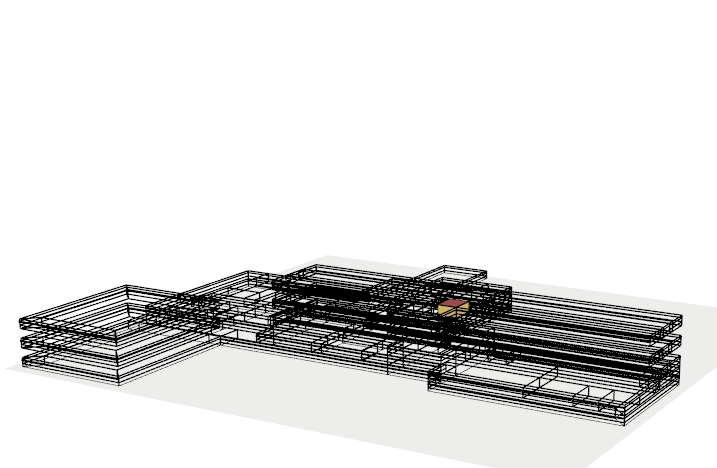
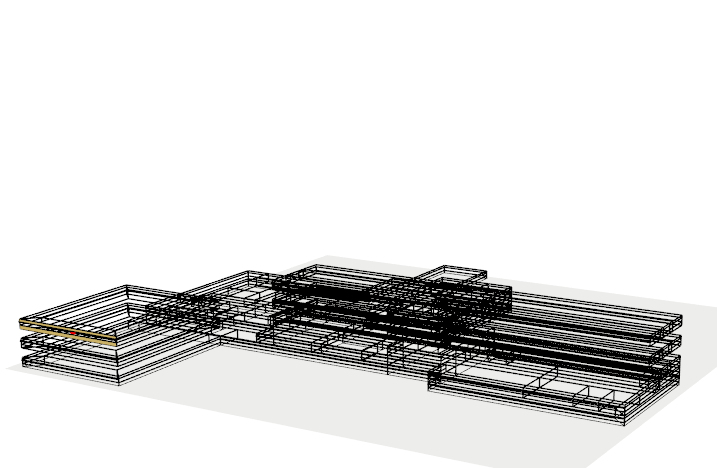
The IdfViewer class provides a number of methods to
tweak the view in a similar style as the OpenStudio SketchUp Plugin:
| Method | Functionality |
|---|---|
$background() |
Change background |
$viewpoint() |
Change the viewpoint |
$mouse_mode() |
Change the mouse controls |
$axis() |
Add or remove axis, or tweak the style of axis. |
$ground() |
Add or remove the ground, or tweak the style of ground. |
$wireframe() |
Turn on/off wireframes. |
$x_ray() |
Turn on/of X-ray style. |
$render_by() |
Change how surfaces should be colored. |
$show() |
Change what components/zones/surfaces to show |
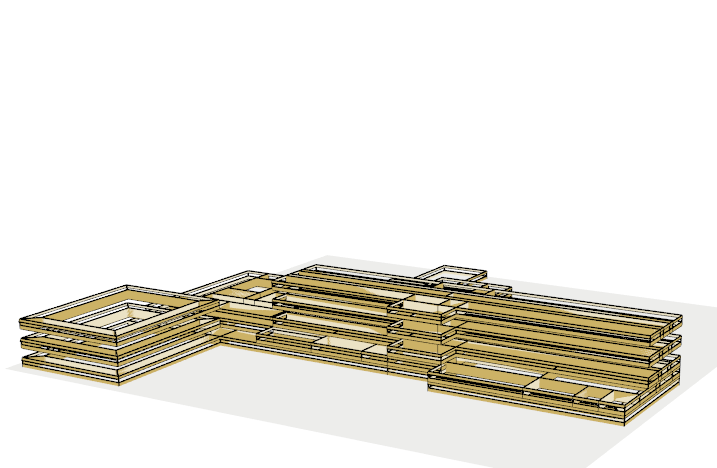
Below shows the effects of each method:
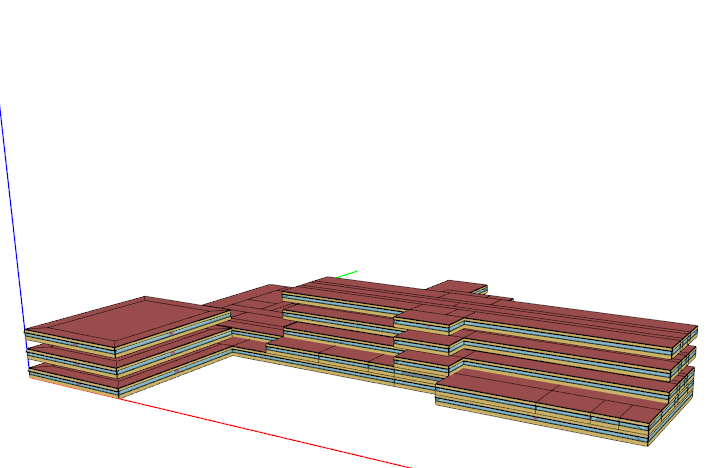
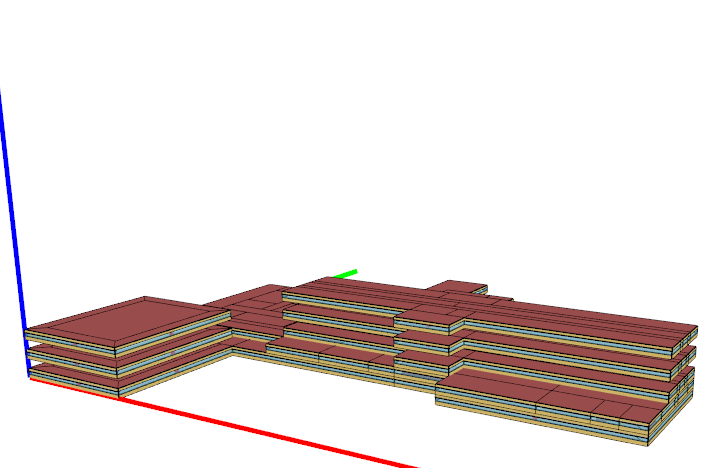
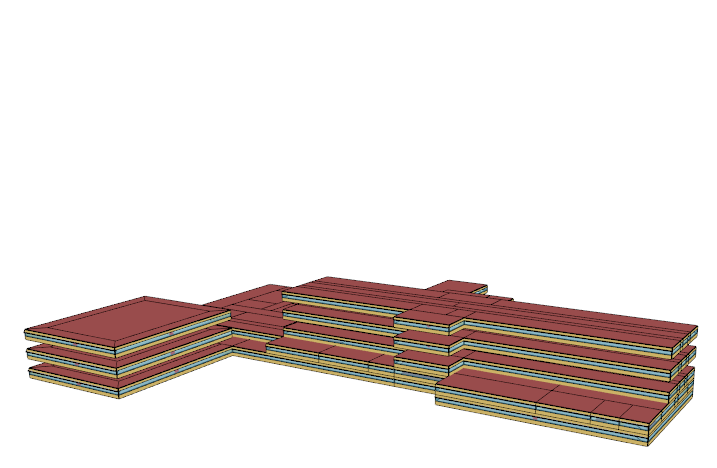
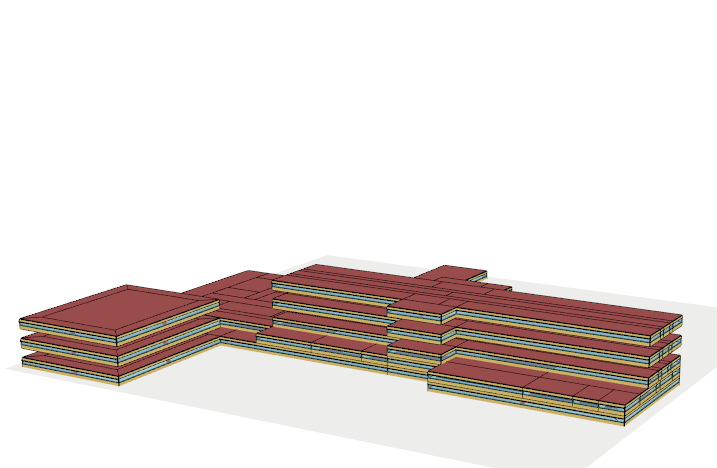
Summary
The IdfGeometry and IdfViewer classes
provide utilities to work and visualize model geometries.
Currently, IdfGeometry is still evolving and more
methods will be added to perform geometric transformations in the near
future.
Also, new methods will be added in IdfViewer to allow
visualize simulation results dynamically.